iceAI Studio vous donne un contrôle total sur les connaissances de vos agents IA et sur la façon dont ils dirigent les clients, favorisant ainsi des résolutions plus rapides et de meilleures expériences.
De la norme PCI-DSS à la certification SOC 2, le centre de contact ice est bâti sur un cadre de conformité qui saura satisfaire votre équipe de sécurité
Comment intégrer votre centre d'appels à Salesforce
Kent Mao
Publié le :
May 16, 2024
Vous connaissez peut-être Salesforce en tant que plateforme CRM, mais saviez-vous qu'il peut aussi améliorer votre centre d'appels?
Intégrer votre centre d'appels à Salesforce permettra non seulement de rationaliser les opérations et d'accroître l'efficacité, mais aussi d'améliorer l'expérience client globale de votre centre d'appels.
Dans cet article, nous aborderons tout ce que vous devez savoir sur les centres d'appels l'intégration de CRM et les étapes nécessaires pour intégrer votre centre d'appels à Salesforce.
Qu'est-ce que l'intégration de CRM?
L'intégration de CRM dans les centres d'appels consiste à connecter le logiciel d'un centre d'appels à une plateforme de gestion de la relation client (CRM), telle que Salesforce, HubSpot, ou Microsoft Dynamics.
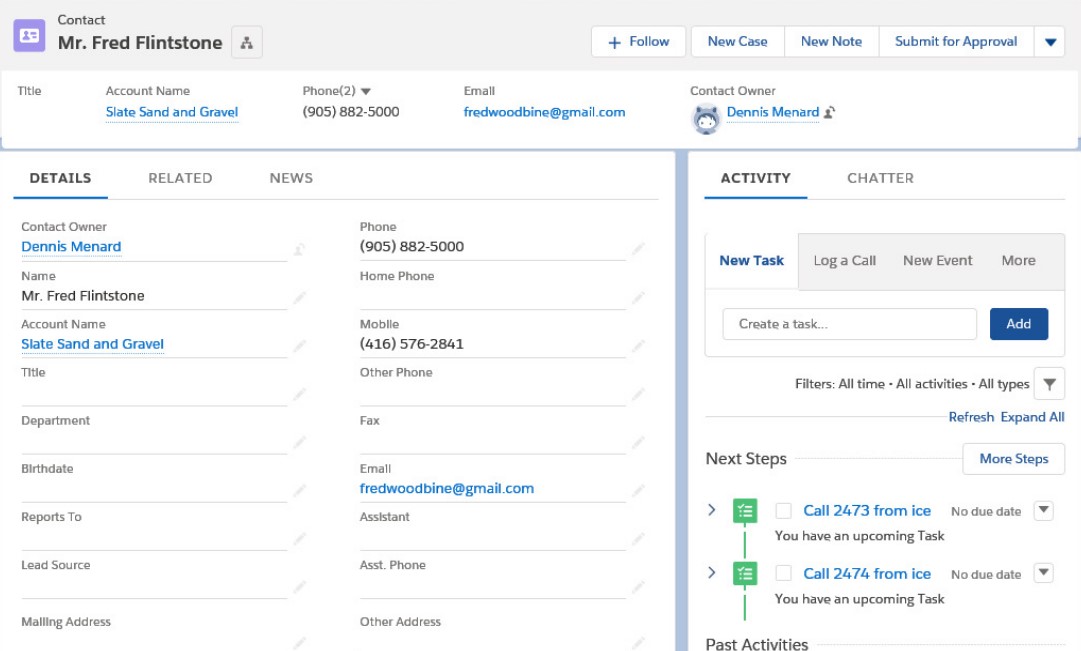
Cette intégration permet une communication et un échange de données fluides entre le centre d'appels et la plateforme CRM. Plus précisément, elle permet aux agents du centre d'appels d'accéder aux informations pertinentes sur les clients – telles que les coordonnées, l'historique des achats et les conversations précédentes – tout en traitant les appels en direct.
L'intégration de votre centre d'appels à Salesforce permet aux agents d'offrir des services plus personnalisés et efficaces. Elle permet également un meilleur suivi et une meilleure gestion des prospects, des opportunités et des demandes des clients, ce qui permet aux entreprises de prendre des décisions basées sur les données et d'optimiser leurs stratégies de vente et de marketing.
Les avantages de l'intégration de Salesforce
Vous vous demandez toujours si l'intégration de votre centre d'appels à Salesforce en vaut la peine? De nombreuses entreprises répondraient par l'affirmative!
En effet, l'intégration d'un centre d'appels à un logiciel CRM offre d'innombrables avantages, allant de l'amélioration de la relation client à l'augmentation des prospects et des conversions.
Expérience client personnalisée: L'intégration de CRM permet aux agents d'accéder à des informations client complètes, ce qui favorise des interactions personnalisées et une résolution plus rapide des problèmes. En offrant des services personnalisés et en résolvant les problèmes rapidement, l'intégration de CRM contribue également à renforcer la fidélité et la rétention des clients, réduisant ainsi les taux de désabonnement et augmentant la valeur à vie du client..
Amélioration de l'efficacité et automatisation: Des flux de travail simplifiés et une synchronisation automatisée des données peuvent aider à réduire le besoin de tâches manuelles, ce qui permet de gagner du temps et d'augmenter la productivité des agents de centre d'appels. Par exemple, au lieu de devoir prendre le temps de chercher dans une base de données clients, les données clients peuvent être renseignées automatiquement grâce à des fenêtres contextuelles qui affichent les informations de l'appelant.
Meilleure gestion des données et analyses: L'intégration du CRM assure la cohérence et l'exactitude des données entre les systèmes, permettant un meilleur suivi, des rapports et une analyse des interactions et des tendances des clients.
Augmentation des opportunités de vente: L'accès aux données clients et aux informations en temps réel permet aux agents d'identifier les opportunités de vente incitative ou croisée et de développer efficacement les prospects.
Soutien omnicanal: L'intégration du CRM permet une vue unifiée des interactions clients sur tous les canaux, y compris les appels téléphoniques, les courriels et les médias sociaux. Elle facilite également la collaboration entre les agents de centre d'appels et les autres départements, tels que les ventes, le marketing et le soutien à la clientèle.
Comment s'intégrer à Salesforce: Étape par étape
L'intégration de votre centre d'appels à Salesforce peut aider à améliorer votre service client et votre gestion des données tout en rationalisant les opérations de votre centre d'appels.
Ce guide étape par étape vous guidera à travers le processus d'intégration de votre logiciel de centre d'appels à Salesforce.
Étape 1: Définir les objectifs d'intégration
Avant tout, il est crucial de définir clairement vos objectifs d'intégration. Prenez le temps de déterminer quelles données et quels processus spécifiques vous souhaitez synchroniser entre votre logiciel de centre d'appels et Salesforce.
N'oubliez pas d'identifier les indicateurs clés de performance (KPIs) qui vous permettront de mesurer le succès de l'intégration après le déploiement. Cela pourrait inclure une productivité accrue, une satisfaction client améliorée ou une réduction des erreurs de saisie de données.
Étape 2: Évaluer la compatibilité
Avant de procéder à l'intégration, assurez-vous que votre logiciel de centre d'appels et Salesforce sont compatibles entre eux. Communiquez avec votre fournisseur de logiciel de centre d'appels pour discuter de la compatibilité et des options d'intégration disponibles.
Si vous devez effectuer l'intégration vous-même, prenez note de toutes les conditions préalables ou exigences de compatibilité spécifiées par les deux plateformes.
Vous devriez également vérifier s'il existe des extensions, des connecteurs ou des intergiciels supplémentaires nécessaires à l'intégration. Recherchez et sélectionnez la méthode d'intégration la plus appropriée en fonction de la compatibilité de vos systèmes.
Étape 3: Choisir la méthode d'intégration
Évaluez les différentes méthodes d'intégration disponibles pour connecter votre centre d'appels à Salesforce. Les méthodes d'intégration courantes comprennent l'intégration de la téléphonie-informatique (CTI), l'intégration d'API, les plateformes intergiciels et les connecteurs préintégrés.
Selon le logiciel de centre d'appels que vous utilisez, vous pourrez peut-être simplement payer pour une intégration préétablie ou personnalisée par l'intermédiaire de votre fournisseur. Autrement, vous devrez effectuer une partie du travail technique vous-même.
Choisissez la méthode d'intégration qui correspond le mieux à vos exigences, à votre budget et à votre expertise technique.
Étape 4: Configurer Salesforce CRM
Connectez-vous à votre compte Salesforce CRM et accédez au menu Configuration. À partir de là, configurez les paramètres et les autorisations nécessaires à l'intégration avec votre logiciel de centre d'appels.
Assurez-vous de disposer des droits d'accès requis pour configurer et gérer les intégrations. Générez toutes les clés API, les jetons d'authentification ou les identifiants nécessaires pour établir une connexion sécurisée avec votre logiciel de centre d'appels.
Étape 5: Configurer le logiciel de centre d'appels
Accédez au panneau d'administration ou au menu des paramètres de votre logiciel de centre d'appels. Vous voudrez probablement contacter votre fournisseur de centre d'appels pour obtenir de l'aide à ce sujet.
Une fois que vous avez localisé la section des paramètres d'intégration ou d'API de votre système dorsal de centre d'appels, saisissez les identifiants Salesforce CRM obtenus à l'étape précédente.
Vous devrez peut-être également configurer les mappages de données et les règles de synchronisation pour définir la manière dont les données clients et les interactions seront transférées entre le logiciel de centre d'appels et Salesforce CRM.
Étape 6: Tester l'intégration
Une fois votre intégration Salesforce terminée, il est important de tester et de valider minutieusement les changements avant de déployer l'intégration dans un environnement de production.
Validez que les données sont correctement synchronisées en créant des enregistrements de test dans votre logiciel de centre d'appels et dans Salesforce. Vous devriez également effectuer des tests de bout en bout des flux de travail clés pour identifier et résoudre tout problème ou écart potentiel.
Étape 7: Former les utilisateurs
Offrez une formation complète aux agents de centre d'appels et aux autres membres du personnel qui utiliseront le nouveau système. Familiarisez les utilisateurs avec le nouveau flux de travail, les procédures de saisie de données et toutes les fonctionnalités ou outils supplémentaires introduits par l'intégration.
Assurez-vous d'offrir un soutien et des ressources continus pour aider les nouveaux utilisateurs de votre centre d'appels à s'adapter à l'intégration de Salesforce et à utiliser ses fonctionnalités.
Étape 8: Surveiller et optimiser
Surveillez continuellement la performance de l'intégration et les indicateurs clés pour vous assurer qu'elle atteint vos objectifs. Examinez régulièrement les commentaires des utilisateurs et résolvez tout problème d'utilisabilité ou demande d'amélioration lié à l'intégration.
N'oubliez pas de rafraîchir l'intégration de votre centre d'appels au besoin pour tenir compte des changements dans les exigences commerciales, des mises à jour logicielles ou des avancées technologiques.
Plateformes de centre de contact avec intégrations Salesforce
Au lieu d'intégrer votre centre d'appels existant à Salesforce, pourquoi ne pas passer à un fournisseur qui propose déjà une intégration Salesforce? Choisir une plateforme de centre de contact avec une intégration Salesforce intégrée facilite grandement l'exploitation des capacités CRM de Salesforce dans votre centre d'appels.
Voici les principales solutions de centre de contact qui offrent des intégrations Salesforce.
Centre de contact ice de ComputerTalk
Le centre de contact ice de ComputerTalk est une solution infonuagique qui s'intègre parfaitement à Salesforce. En maintenant une source unique de vérité au sein de Salesforce, ice génère automatiquement des activités et des billets, enrichissant les informations client avec les détails de l'appelant – le tout dans l'environnement Salesforce. Ces détails comprennent le temps d'attente, le temps de conversation de l'agent, les sélections de l'appelant, les numéros de téléphone, le DNIS et les liens vers les enregistrements d'appels/d'écran. Le stockage de ces informations dans Salesforce, plutôt que uniquement dans la plateforme du centre de contact, assure une vue plus complète et intégrée du parcours client. De plus, le connecteur Salesforce standard d'ice offre des fenêtres contextuelles précises et une fonctionnalité de clic pour appeler pratique directement depuis Salesforce. En tirant parti des capacités CRM de Salesforce, la solution de centre de contact de ComputerTalk vise à améliorer la productivité des agents et l'expérience client globale.
Five9
Five9 est une solution de centre de contact infonuagique reconnue pour ses fonctionnalités avancées de routage d'appels, d'analyse et de gestion. L'intégration de Five9 avec Salesforce fournit aux agents des informations client en temps réel, permettant des interactions client personnalisées et efficaces. Les agents peuvent consulter l'historique client et les interactions précédentes pendant qu'ils parlent au client, ce qui permet des conversations plus significatives et axées sur la résolution. Les principales fonctionnalités de Five9 comprennent le routage intelligent, qui dirige les appels en fonction des compétences des agents et des besoins des clients, des rapports en temps réel et des flux de travail automatisés qui simplifient les tâches courantes et libèrent les agents pour gérer des problèmes plus complexes.
Talkdesk
Talkdesk est une autre solution de centre de contact infonuagique qui s'intègre à Salesforce. Talkdesk se distingue par sa conception conviviale et son engagement envers l'innovation dans l'espace des centres de contact infonuagiques. Son intégration approfondie avec Salesforce extrait les données client en temps réel dans l'interface du centre de contact, garantissant que les agents disposent d'informations à jour à portée de main. Cette intégration facilite non seulement la personnalisation, mais permet également aux agents de prendre des décisions éclairées rapidement. Talkdesk offre également de vastes options de personnalisation, des capacités d'IA pour un meilleur engagement client et des outils de prise de décision en temps réel qui aident les gestionnaires et les agents à réagir rapidement aux conditions changeantes.
Centre de contact 8x8
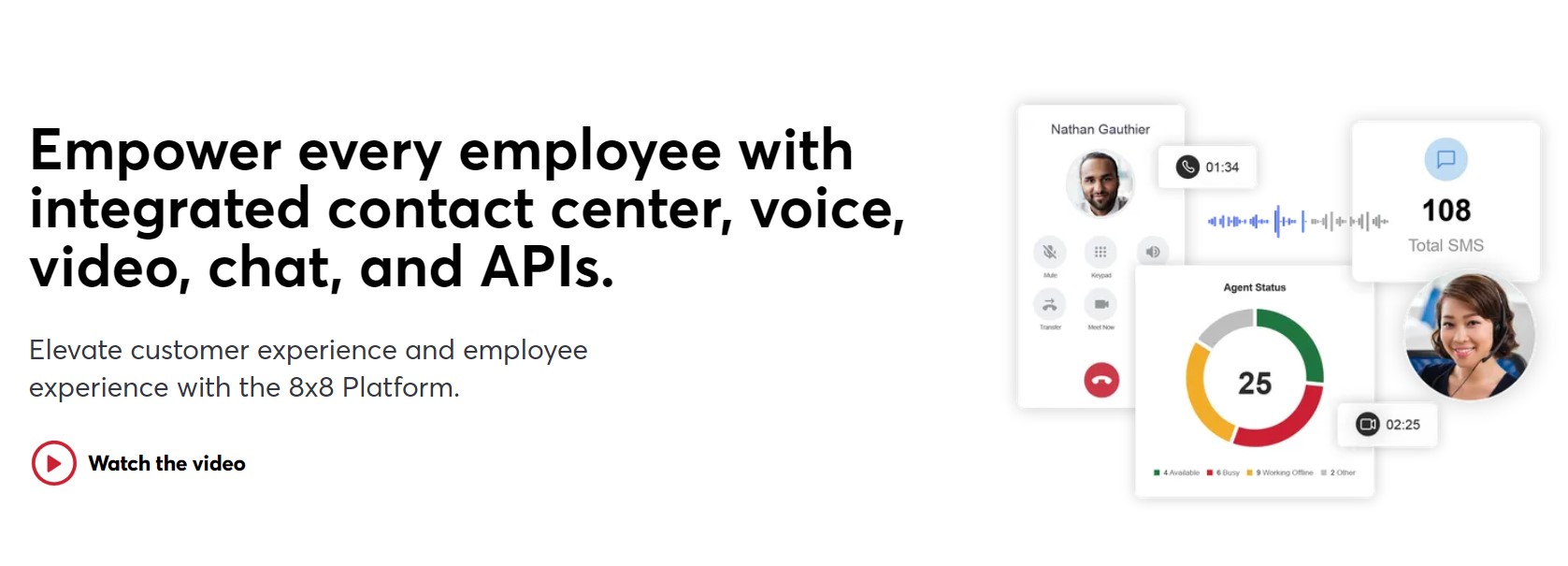
8x8 Contact Center offre des capacités de communication omnicanal robustes ainsi que la possibilité de s'intégrer à Salesforce. 8x8 Contact Center propose une vaste gamme de fonctionnalités de centre de contact qui permettent aux agents d'offrir un service client exceptionnel tout en accédant aux informations client pertinentes directement dans Salesforce. Les principales fonctionnalités de 8x8 comprennent le routage intelligent des appels, la gestion des effectifs, le composeur automatique, et plus encore.
Salesforce Service Cloud Voice
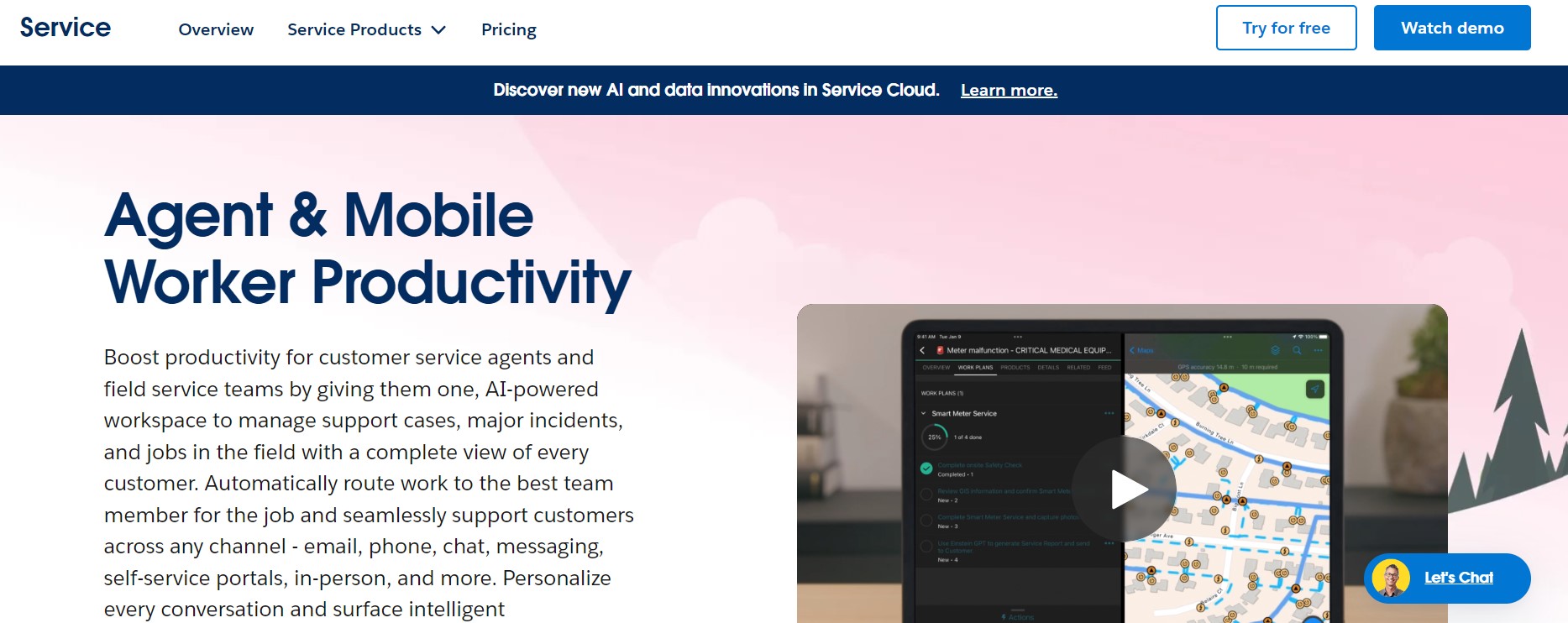
Une autre option pour intégrer votre centre d'appels à Salesforce est d'utiliser le propre service de téléphonie de Salesforce, connu sous le nom de Service Cloud Voice. Basé sur la plateforme Amazon Connect, Salesforce Service Cloud Voice est une solution infonuagique qui permet aux entreprises de gérer leurs appels téléphoniques directement dans Salesforce. Service Cloud Voice offre une variété de fonctionnalités avancées, telles que le routage d'appels alimenté par l'IA, la transcription en temps réel, l'analyse, et plus encore. Cependant, malgré ces fonctionnalités, Service Cloud Voice n'est pas aussi complet que d'autres solutions de centre d'appels.
Résumé
L'intégration de votre centre d'appels à Salesforce implique la connexion et la synchronisation du logiciel de votre centre d'appels avec votre base de données CRM Salesforce.
En connectant les deux plateformes logicielles, vous pouvez centraliser vos informations client, suivre les interactions sur différents canaux et donner à vos agents des fonctionnalités en temps réel comme les fenêtres contextuelles et les composeurs automatiques.
Avant de commencer votre intégration Salesforce, vous devriez contacter votre fournisseur de centre d'appels et discuter des options disponibles. De nombreuses plateformes de centre d'appels de premier plan offrent des intégrations Salesforce prédéfinies ou personnalisées. Si ce n'est pas une option, vous devrez peut-être effectuer l'intégration vous-même en suivant les étapes ci-dessus.
Pour en savoir plus sur la façon dont la plateforme de centre de contact de ComputerTalk tire parti de Salesforce pour améliorer l'efficacité et l'expérience client, cliquez ici.
Abonnez-vous à notre infolettre
Merci d'avoir communiqué avec ComputerTalk !
Nous prendrons contact avec vous sous peu. Il y a aussi un bouton de discussion maintenant dans le coin inférieur droit du site Web, si vous souhaitez nous parler immédiatement.
Oups! Une erreur est survenue lors de l'envoi du formulaire.
%20-%20Google%20Ads.png)