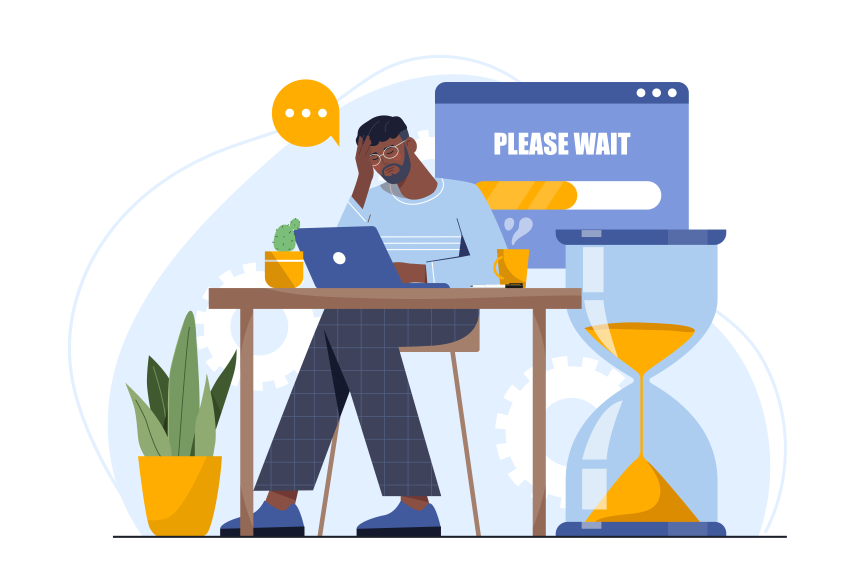
People call a contact center because something needs fixing, and they usually want it handled fast. If they hang up before anyone helps, that usually means they’ve decided the queue is asking for more time than they can give.
Customer callback options can help. Instead of forcing customers to wait around, listening to hold music, a callback allows them to save their space in the queue and get a return call as soon as someone is ready to chat.
The statistics show how well this service can work. One report found 75% of US adults prefer callbacks over waiting on hold. Another found that customer callback options can reduce abandonment rates by around 32%.
That’s where callbacks make the queue feel fairer. Customers can step away without losing their place, and contact centers get a better way to manage demand when wait times start climbing.
What Is Call Abandonment and Why Does it Matter?
Call abandonment is when a customer gets into your phone queue and gives up before an agent can take the call. When calculating call abandonment rate, most teams filter out immediate hang-ups. After all, a customer hanging up after five seconds might be a sign they accidentally called the wrong number or picked the wrong menu option.
What call abandonment rates to tell you is whether the customers who are genuinely trying to reach you get through to an agent before their patience runs out. If the rate climbs, it usually means one of three things: hold times are too long, customers don’t understand the next step, or the contact center has hit a capacity problem.
The benchmarks help put it in context. A healthy abandonment rate often sits around 2% to 5%. Many centers land closer to 5% to 8%. Anything above 8% for long periods needs attention.
So, why do call abandonment rates matter?
- Lost interactions can mean lost revenue. That abandoned call could have been a sale, a renewal, a complaint, or a cancellation risk.
- Repeat calls pile pressure back onto the queue. A customer who gives up at 10:15 might call again at 2:40, and this time they’re probably less patient. The team gets more volume, but the original problem hasn’t changed.
- CSAT drops before the agent says hello. A long wait, vague estimated wait time, or bad IVR experience can derail the interaction before anyone has a chance to fix the issue.
- Core KPIs take the hit. High abandonment puts pressure on service level performance, first contact resolution, customer satisfaction, and agent productivity.
- Agents inherit the mess. Unpredictable queues create harder conversations, rushed wrap-up, and more emotional labor for the team.
This is where customer callback options matter. If customers are leaving because the queue asks them to wait too long, a callback gives them a way to stay in line without staying on the phone. For teams trying to reduce abandonment, that’s a practical place to start.
How Long Wait Times Drive Call Abandonment
Abandonment can spike for all sorts of reasons. The line drops. The IVR sends people in circles. The caller gets bounced to the wrong queue. But long wait times are the one most customers feel immediately, because every extra minute makes the call easier to abandon.
Long wait times create friction. Giving customers a clear estimated wait time can help because it gives callers a sense of what they can expect. However, an honest estimate doesn’t erase the delay. If someone hears the wait is 18 minutes and they only have five, that estimate may be the reason they leave.
A long hold also keeps the customer half-tethered to the phone. They can’t fully move on because the agent might answer at any second. That’s a pain when they’re calling between meetings, during a quick break, or from the car before pickup. Once the queue starts stealing time they don’t have, hanging up feels less like impatience and more like common sense.
Long wait times also say something negative about your company. They suggest that help is hard to reach. Some customers switch to chat or self-service. Some call back later, which piles more volume onto the same team. Some leave the issue unresolved until it becomes more expensive to fix.
When wait times keep stretching, abandonment stops looking like impatience and starts looking like a capacity warning. For teams trying to reduce abandonment, that warning needs action before customers start treating the queue as proof that service isn’t really available.
How Callback Solutions Reduce Abandonment Rates
Callbacks work because they remove the part customers hate most: being trapped on the line. The queue can still be busy, and agents can still be working through spikes in demand, but the caller gets a choice, and that changes how the wait feels. Callback solutions help by:
- Eliminating the Need to Stay on Hold: A callback takes the caller out of the physical queue without removing them from the service journey. They keep their place, hang up, and get a call back when someone is ready.
- Turning wait time into “Off-Queue” time: Long hold times feel worse because the customer has to sit through them. A callback turns that dead time into usable time. They can get back to work, finish the school run, or do something else before the conversation starts. The wait may still exist, but it no longer owns the customer’s attention.
- Keeping Customers Committed to the Interaction: A caller who accepts a callback hasn’t abandoned the issue. They’ve agreed to the next step. Without a callback, that person may try another channel, call again later, or leave the problem unresolved until it gets more expensive to fix. Customer callback options keep the thread from snapping. They give the customer a way to leave the phone line without leaving the company.
- Stabilizing Queues During Peak Demand: Callbacks also help when demand arrives in ugly bursts, like Monday mornings, service outages, billing cycles, storms, product launches, and holiday peaks. Callbacks can be a way to “flatten the curve” of call spikes by spreading conversations over a longer period.
Callbacks don’t replace staffing, routing, or workforce planning. They give the queue a pressure valve. When the estimated wait time starts climbing, customers get an option that feels reasonable, and agents get fewer callers arriving already furious.
How Callback Solutions Work in Your Contact Center
A callback, or virtual hold, keeps the caller’s place in line without keeping them on the line.
The customer experience should be simple:
- They call in and hear the estimated wait time.
- They choose the callback option.
- They confirm the best number.
- The system holds their position in the queue.
- The agent calls when their turn arrives.
There are two main types of customer callback options:
- Immediate callbacks: The customer keeps their place in the live queue. They hear the wait time, press 1 for a callback, hang up, and the system calls when they reach the front.
- Scheduled callbacks: The customer picks a time window instead of waiting for the live queue to move. This works well for website requests, chatbot escalations, after-hours support, mobile app journeys, or customers who can’t take a call right away.
The setup behind that flow is important. A useful callback service should do more than dial a number back. It should carry the caller’s IVR choices, account details, CRM record, previous tickets, or chatbot inputs into the agent view. That ensures the call can begin with context.
Best Practices When Implementing Callback in Your Contact Center
Callback only works if customers trust the offer. If the timing is wrong, the promise is vague, or the return call lands in the wrong place, you’ve swapped one bad queue experience for another.
Offer Callback Before Customers Get Fed Up
Don’t wait until someone has already sat through half the queue before offering help. At that point, the customer may have already checked out.
Set callback triggers by queue, using:
- Estimated wait time
- Queue depth
- Agent availability
- Service level
- Abandonment patterns
- Time of day
- Peak demand periods
You might offer a callback when wait time crosses a set threshold, such as 60 seconds, or when a customer presses a button to hear their options again. You may simply trigger callback offers as soon as you recognize your queue is longer than usual.
Be Clear About What Happens Next
A callback promise needs to be specific. “We’ll call you back soon” doesn’t really help anyone; it just leaves them checking their phone for the rest of the day. “We’ll call you back in around 15 minutes” is better.
Tell customers:
- Whether they’re keeping their live queue position
- Whether they’re choosing a scheduled window
- Whether they’ll get an alert before a call
- Which number will be called
- What happens if they miss the call
- Whether the system will retry
- How long the callback window is
Retry rules can be helpful too, such as three attempts with five minutes between each try. A missed callback with no retry can feel worse than staying on hold.
Route the Callback to the Right Place
A callback shouldn’t dump the customer into a generic queue. Send them back to the same queue, skill group, or workflow they came from.
Carry over useful context:
Connected systems help a lot here. If a customer already explained the issue once, the agent shouldn’t need to open with, “Can you tell me why you’re calling?”
Track the Numbers That Show Whether It’s Working
Don’t judge callback by usage alone. A lot of customers choosing callback is useful, but it doesn’t prove the experience is working.
Track:
- Callback offer rate
- Callback acceptance rate
- Average time to callback
- Callback completion rate
- Missed callback rate
- Retry success rate
- Abandonment before the offer appears
- Abandonment after the offer appears
- CSAT after callback
- First-contact resolution after callback
- Peak versus non-peak performance
Look beyond one metric. Connect abandonment, CSAT, staffing, and bottlenecks. Also, keep an eye on average handling times aligned with resolution times. Callbacks won’t help much if customers get a quick response that doesn’t actually solve the problem.
Keep Adjusting the Setup
Customer callback options aren’t something you switch on and forget.
If customers abandon before the callback offer appears, move the trigger earlier. If too many miss the return call, tighten the window or add reminders. If agents still ask customers to repeat the issue, fix the routing or context handoff.
The best callback programs get tuned around real queue behavior. That’s where the value shows up: fewer abandoned calls, calmer customers, and agents who aren’t starting every conversation with an apology for the wait.
Stop Losing Customers in the Queue
Call abandonment usually comes down to one problem: customers don’t want to wait on hold.
They may understand that the contact center is busy. They may even accept a clear estimated wait time. But once the queue starts eating into their day, patience starts to run out.
That’s why customer callback options are such a practical fix. They don’t require a contact center to rebuild the whole operation overnight. They give customers a cleaner choice: keep your place, hang up, and get a call back when someone is ready.
That creates value on both sides. Customers get flexibility and convenience. Agents get fewer conversations that begin with frustration. Operations teams get a better way to manage spikes, protect service levels, and reduce abandonment without pretending every queue problem can be solved by asking people to wait longer.
For modern contact centers, callbacks are becoming less of a nice extra and more of a basic expectation. If your customers are still trapped in long hold times with no better option, they’re telling you exactly where the experience is breaking.
If you want to fix that issue, request a demo with ComputerTalk to see how ice Contact Center can help you manage queues, connect customer context, and give callers better options when wait times rise.
%20-%20Google%20Ads.png)